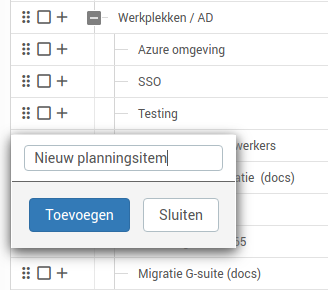
- Click
+at the portfolio item to which you want to add a sub-item. - Give the item a name and click
Add. - The sub-item has been added to the milestone planning.

+ at the portfolio item to which you want to add a sub-item.Add.
