My dashboards
Introduction
What is the Insights app?
The Insights app provides visibility into the progress of projects, programs, portfolios and objectives. It helps organizations monitor performance and the impact of initiatives on strategic goals. Dashboards can be created and shared to make reporting accessible across the organization.
Who uses it?
- Portfolio and program managers who want to track progress and alignment with strategy.
- Management Team who want to get insights into progress of strategic goals.
- Stakeholders who need read-only access to dashboards.
Insights versus portfolio dashboards
The Dashboard tab inside a portfolio only shows the data of that one portfolio. The Insights app works at a different level: its dashboards can pull data from all portfolios and projects in the organization, not just one. This makes the Insights app the right place for cross-portfolio reporting, for example a dashboard comparing budget usage or progress across every portfolio at once.
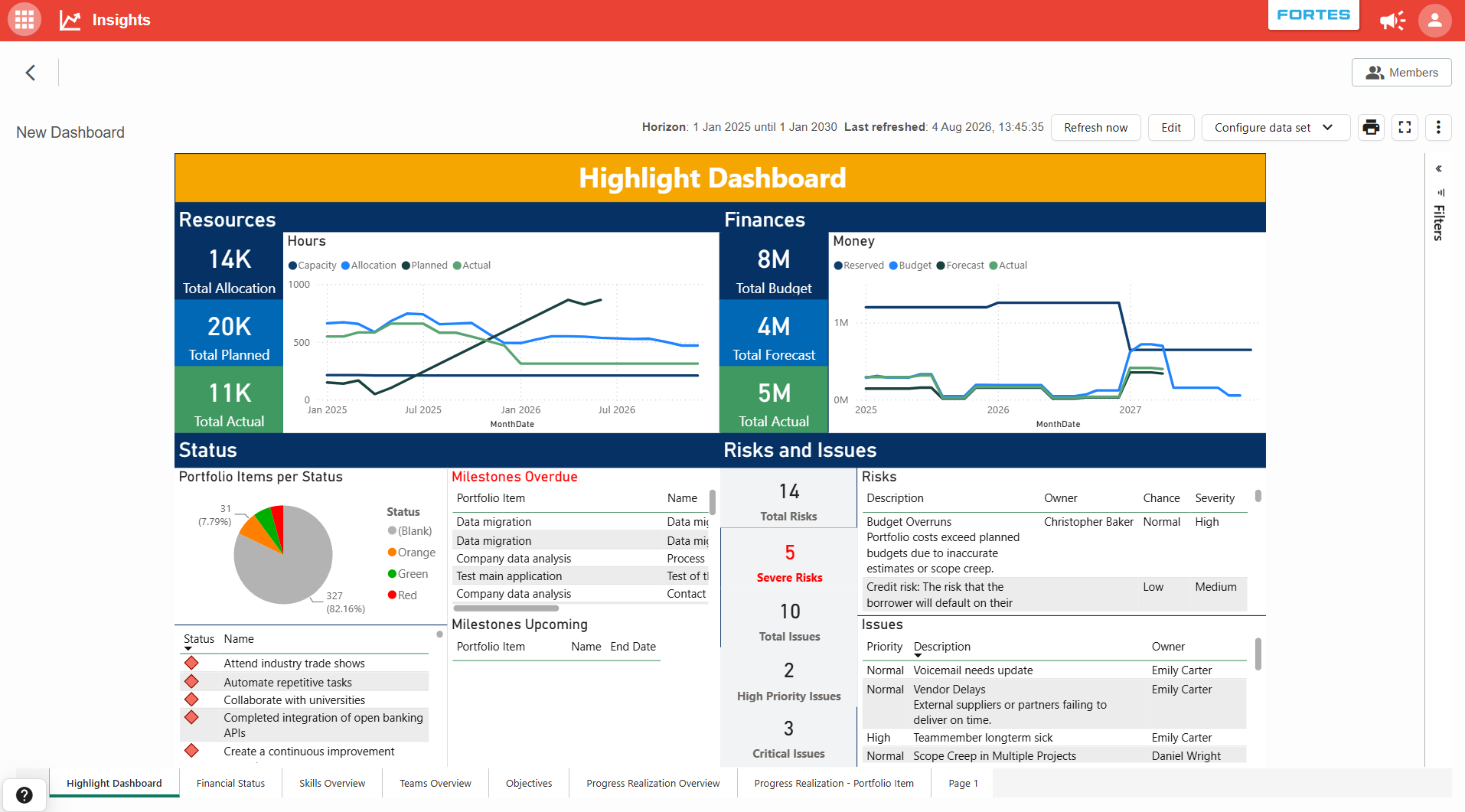
Because a dashboard is built once and can draw on data from many portfolios, it can show, for example:
- Aggregated resource and financial figures (allocation, planned, actual, budget, forecast) across portfolios.
- Portfolio item status and milestones across every portfolio at once.
- Risks and issues consolidated from multiple portfolios.
Roles and access are also managed separately from the portfolios themselves (see Features below), so you can give someone visibility into this data through an Insights dashboard without giving them access to the underlying portfolios.
Features
-
Dashboards
Create custom dashboards to visualize project organizational wide data. -
Roles and permissions
- Managers: can edit dashboards.
- Members: have read-only access.
Roles can be applied at two levels:
- App level → access to all dashboards in the Insights app.
- Dashboard level → access to a specific dashboard only.
Dashboard access is independent from portfolio or project access. This means you can give someone a Reader role on a dashboard so they see the underlying portfolio and project data, even if they have no role on those portfolios or projects themselves.
-
Duplicating dashboards
- You can copy a new dashboard from an existing one.
- If no source is chosen, the new dashboard will be created using the default template.
- Supports easy re-use of layouts and reports, including PowerBI OData reports.
Best practices
- Assign Managers only to users who need to edit dashboards to keep control of reporting.
- Use Members for stakeholders who only need to view results.
- Re-use existing dashboards by duplicating them, saving time when creating new reports.
- Regularly review dashboards to ensure alignment with current strategic goals.